Blue Team Labs Online - ProcessWin

The provided evidence consists of a snapshot of running processes from different scenarios. Using the samples provided, answer the questions to understand the process activity.
Incident Response
Tags: Linux CLI Text Editor T1055
Scenario The provided evidence consists of a snapshot of running processes from different scenarios. Using the samples provided, answer the questions to understand the process activity. It's important to do research too!
Note: Read the provided help.txt file.
Investigation Submission
Q1) Identify the suspicious relationship between a process and the parent process (Format: PPID, PID)
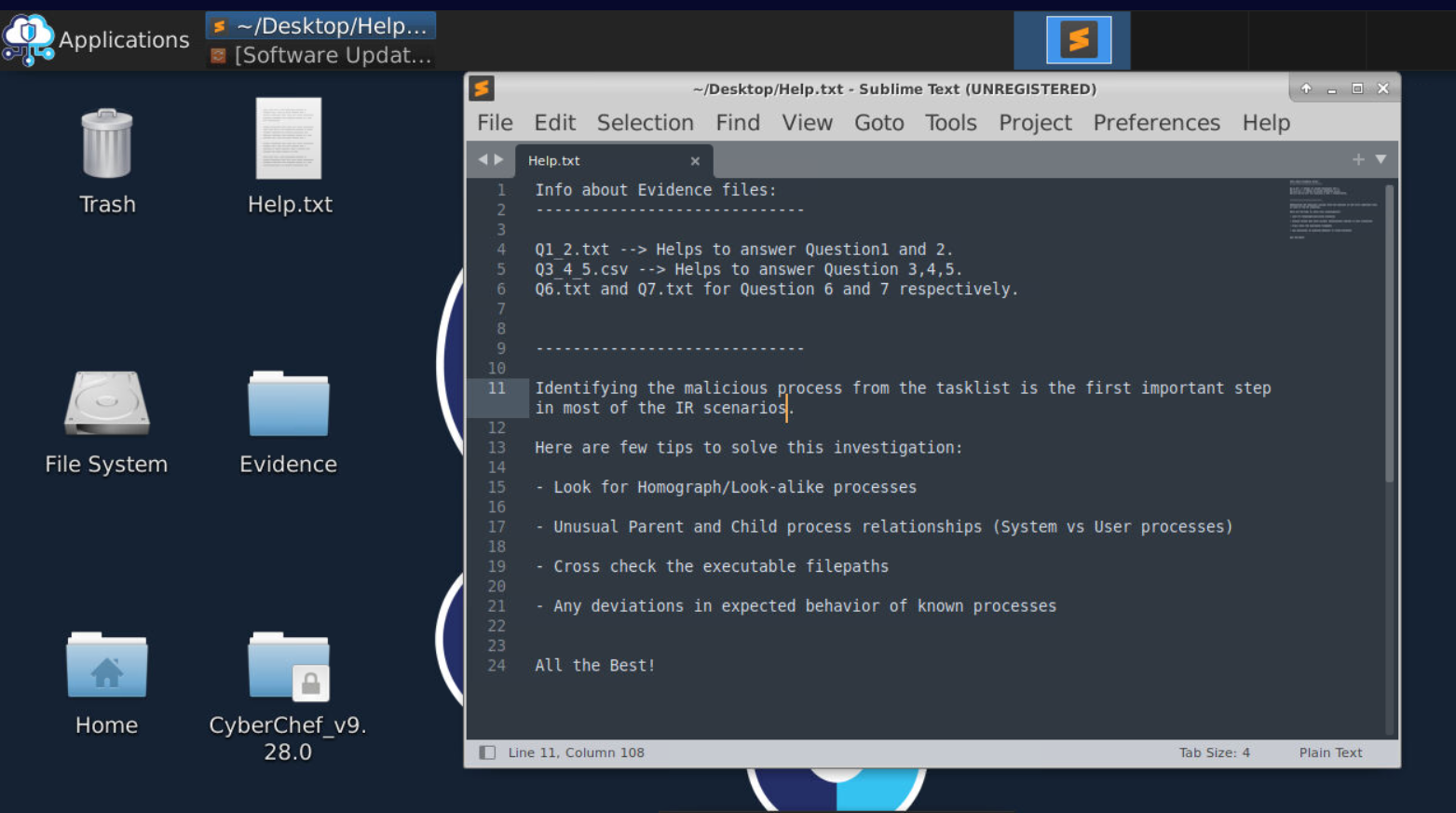
All files we need is located inside "Evidence" directory on the desktop and we only have 4 files so lets just right in.
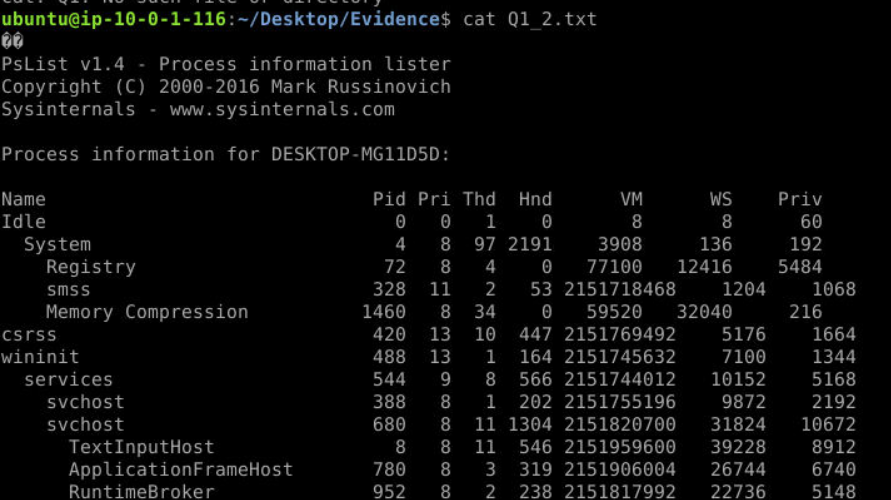
Read content of Q1_2.txt then we could see that it is the process tree output created by PsList and since we got the process tree than everything should be easy to figure out.
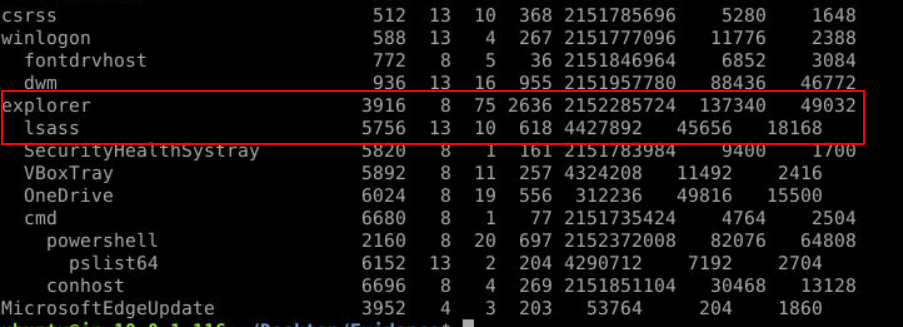
Then we will finally notice lsass under explorer which is impossible in normal circumstance since it should be the child process on wininit.exe and should be only 1 on the system.
Answer
3916, 5756Q2) What is the legitimate parent process for the PID process found in Q1 (Format: process.exe)
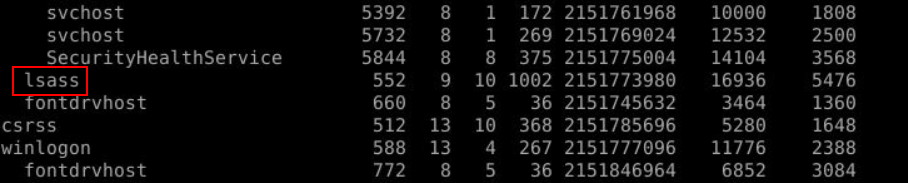
You might notice legitimate lsass.exe process right here under wininit.exe which is the legitimate parent process of this lsass.exe according to Windows Process Genealogy.
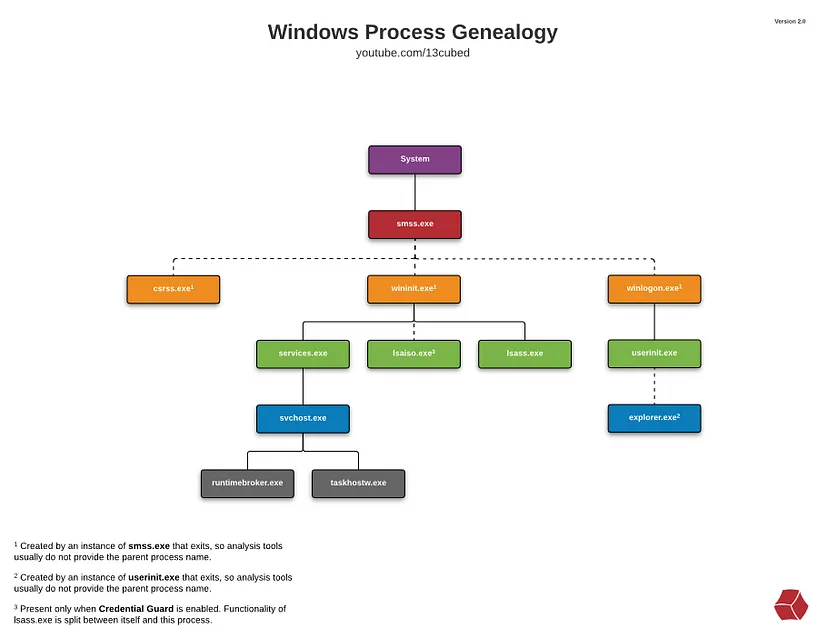
Answer
wininit.exeQ3) Identify the system process being executed from an anomalous location. Submit the process name and file path (Format: process.exe, drive:\path\to\process.exe)
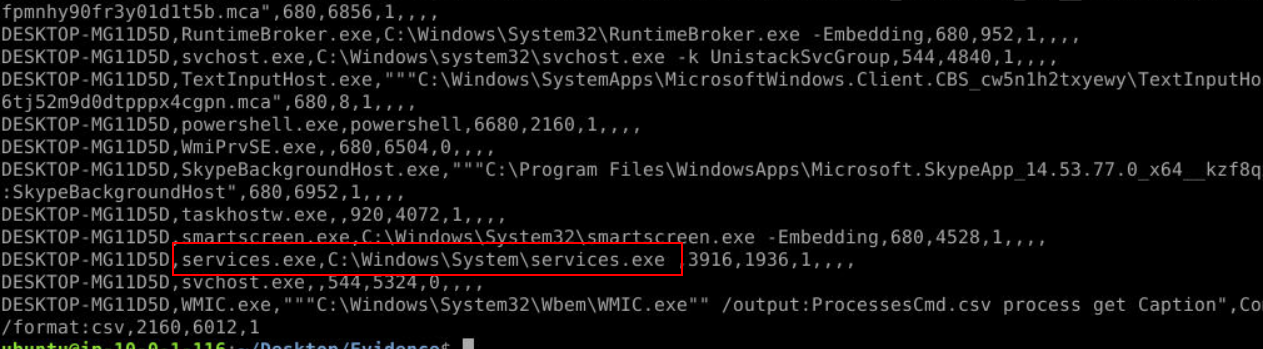
After take a look at Q3_4_5.txt we might notice services.exe was executed under System folder which is not where its belong sinve it has has to be in System32.
Answer
services.exe,C:\Windows\System\services.exeQ4) What is the legitimate parent process for the malicious process name found in Q3? (Format: process.exe)
Use Windows process genealogy image then we could see that the legitimate parent process of services.exe is wininit.exe same as lsass.exe
Answer
wininit.exeQ5) What is the legitimate location of the malicious process name found in Q3? (Format: drive:\path\to\process.exe)
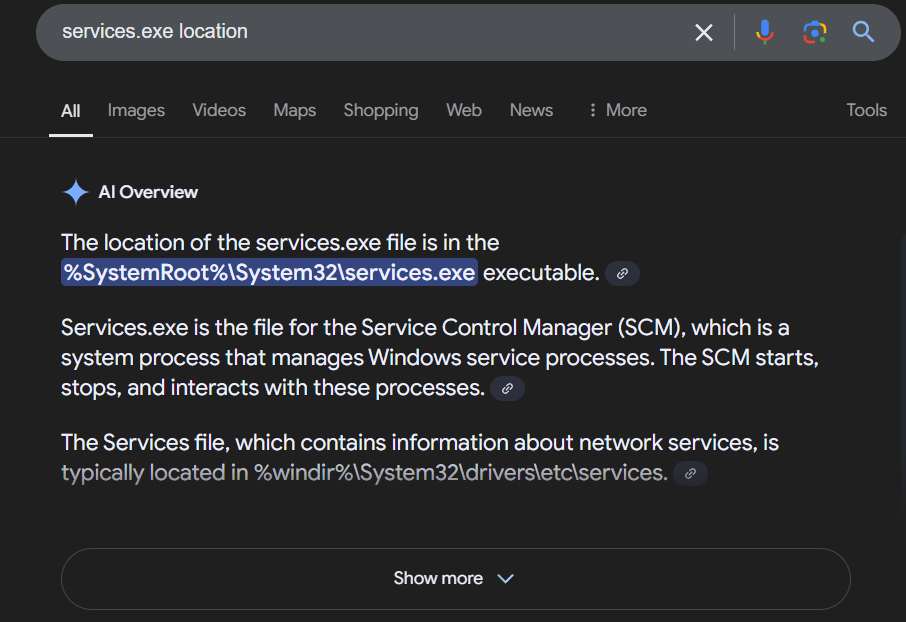
It has to be inside System32 folder along with the rest of Windows critical processes.
Answer
C:\Windows\System32\services.exeQ6) Submit the PID of the process that partially mimics a system process (Format: PID)
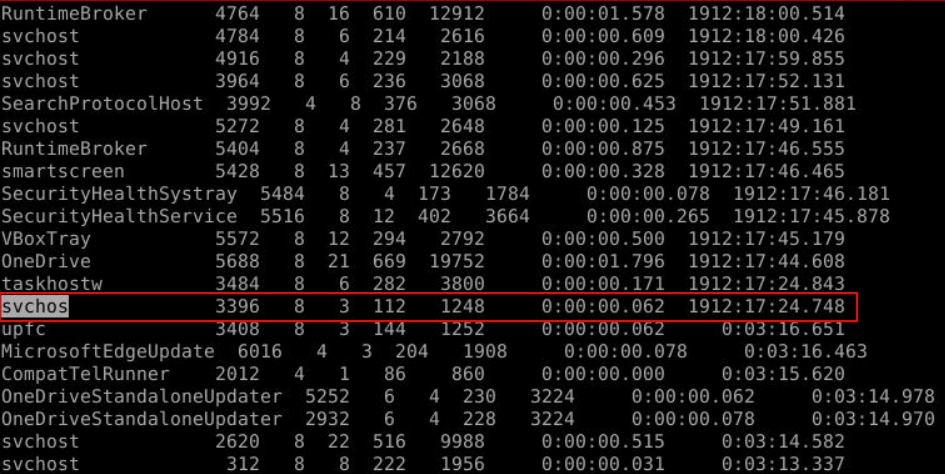
After open Q6.txt then we could see that there is one process partially mimics svhost.exe process right here.
Answer
3396Q7) Identify the malicious process name from the provided process list (Hint: Focus on process names) (Format: PID)
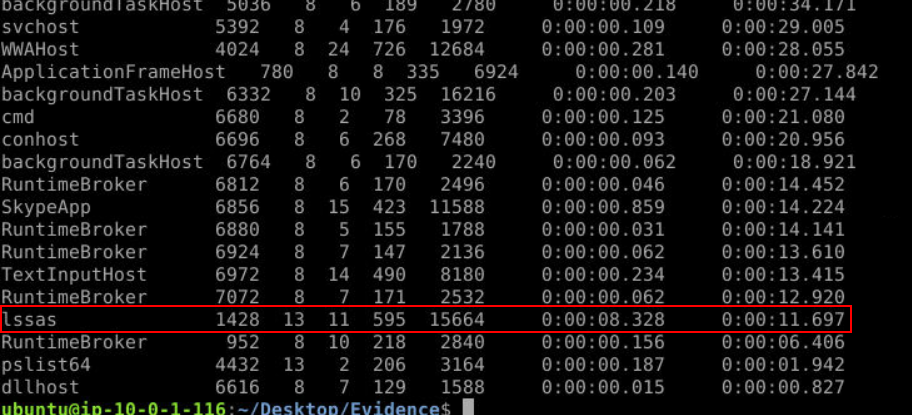
This time, we found lssas.exe that mimics lsass.exe.
Answer
1428Q8) Research the legitimate parent process name of svchost.exe (Format: process.exe)
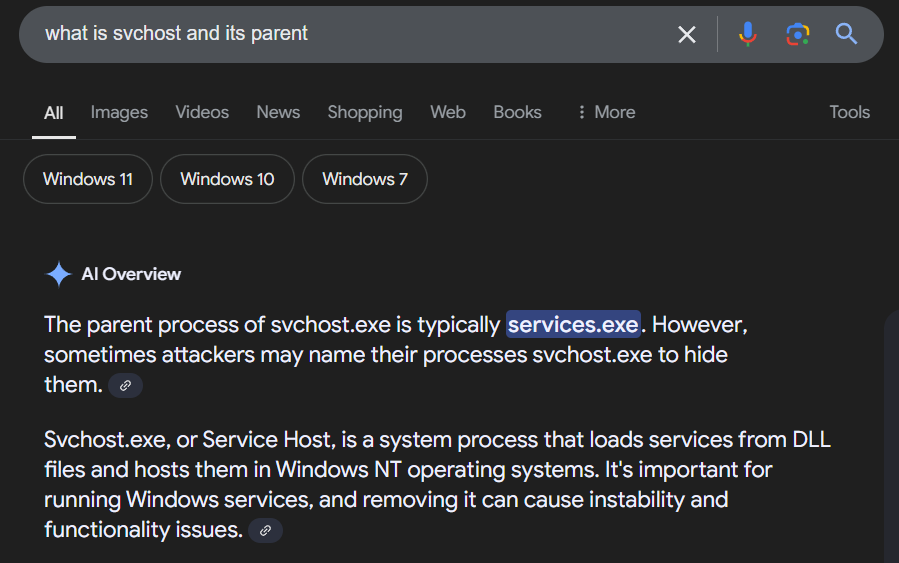
svchost.exe is a child process of services.exe and we will find many of them on Windows system because they're responsible for running Windows services.
Answer
services.exe https://blueteamlabs.online/achievement/share/52929/135